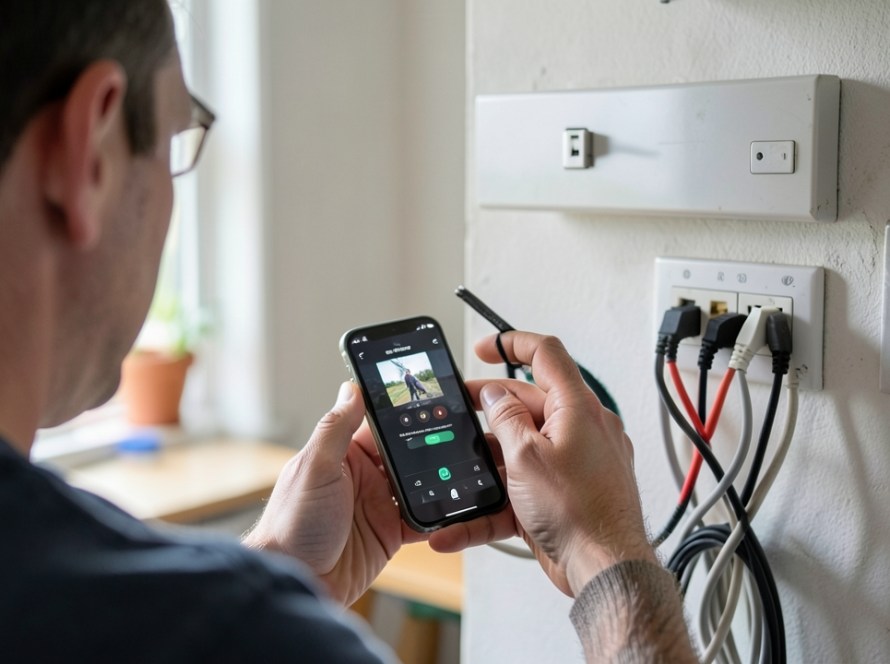
A loud, repetitive beeping sound coming from your CCTV recorder—whether an NVR (Network Video Recorder) or DVR (Digital Video Recorder)—is an active system error alert. Recorders are designed to sound an internal buzzer when a critical system failure or configuration issue occurs that requires immediate attention.
In most cases, the beeping indicates a hard drive storage issue, a disconnected camera, or an IP address conflict on your network. While the noise is distracting, it exists to prevent silent recording failures.
How to Temporarily Mute the CCTV Beeping Sound
Before diagnosing the root cause, you can usually mute the alarm tone through the recorder’s menu interface so you can troubleshoot calmly:
- Using a monitor and mouse: Right-click on the screen, log into your local system menu, navigate to Configuration or Event Settings, locate Exceptions, and temporarily uncheck the Buzzer option.
- Via a web browser interface: Type your recorder’s local IP address into a web browser, log in, navigate to System Settings > Event > Exception, and disable Audible Warning for active exceptions.
Important: Turning off the buzzer silences the noise, but it does not fix the underlying technical fault. If left unaddressed, your security system may fail to record video.
The Most Common Causes of Recorder Beeping
1. Hard Drive (HDD) Faults or Uninitialized Storage
The single most frequent cause of a continuous beep is a storage fault. CCTV recorders rely on internal hard drives running 24/7. If the drive degrades or experiences errors, the system triggers an alert.
- Hard Drive Failure: The drive has developed bad sectors or suffered a mechanical hardware fault. The recorder detects S.M.A.R.T. monitoring errors and sounds the alarm.
- Uninitialized Drive: If a new drive was recently installed, the recorder cannot use it until it has been formatted (initialized) within the storage menu.
- Storage Full (Overwrite Disabled): If the system is set to stop recording when the drive reaches full capacity—rather than overwriting older footage—it will beep as soon as free space runs out.
2. Disconnected Cameras or Video Loss
When an NVR or DVR loses communication with an assigned camera, it can trigger a video loss exception alert. This occurs if an IP camera loses power, an Ethernet cable is damaged, a PoE switch port fails, or an analog coaxial connection degrades.
3. Network IP Address Conflicts
If another device on your network (such as a computer, printer, or smart TV) is assigned the exact same IP address as your recorder or one of your IP cameras, an IP collision occurs. The recorder loses stable network transmission and sounds an exception alarm.
Step-by-Step Diagnostic Steps
- Check the System Event Log: Log into the recorder interface and open System Logs or Maintenance. Look for log entries labeled HDD Error, No Disk, IP Conflict, or Video Loss. This will pinpoint the exact trigger.
- Check Hard Drive Health: Go to the Storage Management or HDD section. Check the disk status column. If the status displays as Abnormal or Error, the hard drive requires attention or replacement.
- Verify Camera Status: View your live preview screen. If one channel displays a black screen or a Network Disconnected message, inspect the cable and power connection for that specific camera.
- Verify Overwrite Settings: In your storage options, ensure that Overwrite Mode is set to Auto or Yes so the system recycles disk space naturally over time.
When to Replace the Surveillance Hard Drive
If formatting the drive from the recorder menu fails to clear the error, or if the hard drive periodically disappears from the hardware menu, the drive is failing physically. Always replace CCTV drives with dedicated surveillance-rated hard drives designed for high-write workload environments, rather than standard desktop PC drives.
Frequently Asked Questions
Can I just disconnect the speaker inside the recorder?
Disconnecting or damaging the internal buzzer on the system board is not recommended. It voids hardware warranties and deprives you of audible warnings for future critical events. Disabling the alarm in the software settings is the correct approach.
Why does my recorder beep every time it restarts?
Recorders sound a single short beep during bootup as a self-test indicator. Continuous or repeated beeping after system startup indicates that a system error condition is active.
Will my cameras keep recording while the alarm is sounding?
If the cause is a network warning or a disconnected camera on another channel, intact cameras will continue to record normally. However, if the warning is caused by a hard drive error or disk failure, all recording has stopped.
Get Professional CCTV Support in Zuid-Holland
If you have muted your recorder but cannot resolve persistent hard drive errors, camera disconnections, or network conflicts, practical assistance is available. KucuTech provides technical support, hard drive replacements, network diagnostics, and camera system repairs for homes and businesses across Zuid-Holland. Contact KucuTech to ensure your CCTV system is operating reliably.